The Art of Collecting Data You Can Actually Analyze
Why This Matters More Than You Think
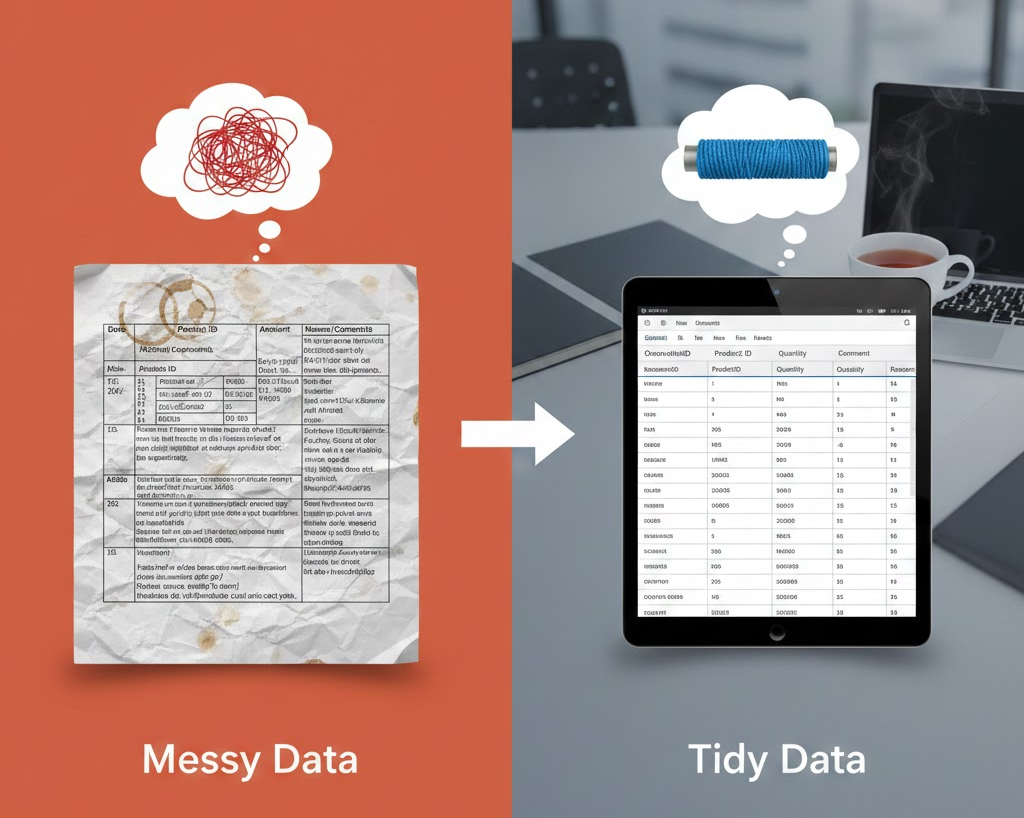
You have just finished a three-month experiment. The animals have been treated, the measurements collected, the samples processed. Now comes the moment of truth: statistical analysis. You open your Excel file and discover a nightmare. Colored cells everywhere. Merged rows. Comments in multiple languages. Three different ways of coding “male.” Empty cells mixed with “n/a” and “?”. Your heart sinks.
This scenario plays out in laboratories around the world, every single day. The tragedy is that it is entirely preventable. Good data collection takes no more time than bad data collection. It simply requires thinking about analysis before the first measurement is taken.
This guide will show you how to structure your data so that any statistical software can read it, any collaborator can understand it, and future-you will not curse past-you at 2 AM before a deadline.
The Golden Rule: One Row, One Observation
The single most important principle in data organization is deceptively simple: each row represents one observation, and each column represents one variable. This structure, sometimes called tidy data, is the foundation of nearly all statistical analysis.
What does this look like in practice?
You are monitoring body weight in mice over three days. Here is how your table should look:
| id | group | sex | day | body_weight |
|---|---|---|---|---|
| 1 | control | 0 | 1 | 25.3 |
| 1 | control | 0 | 2 | 25.1 |
| 1 | control | 0 | 3 | 24.8 |
| 2 | treatment | 1 | 1 | 23.7 |
| 2 | treatment | 1 | 2 | 22.9 |
| 2 | treatment | 1 | 3 | 22.1 |
Notice that animal 1 appears three times, once for each day. This is correct. Each row is a single measurement occasion.
This format might feel redundant when you are typing it. You might be tempted to create a “nicer” table with days as columns. Resist that temptation. The long format is what R, Python, SPSS, and virtually every other statistical tool expects.
Choosing Your Tools
Microsoft Excel remains the most practical choice for data collection in small-scale animal studies. It is ubiquitous, familiar, and produces files that every analysis software can read. Save your data as .xlsx or .csv (comma-separated values). The CSV format is particularly portable and can be opened by any text editor if needed.
A few ground rules for Excel:
- Start your table in cell A1. No empty rows or columns above or to the left of your data.
- Use one sheet for raw data. If you need to make calculations, do them on a separate sheet.
- Never merge cells. Ever. Merged cells break imports into statistical software.
- Avoid colors as information carriers. Highlighting a row yellow to mark “outlier” is invisible to R. Use a dedicated column instead.
Excel sometimes “helps” by converting entries automatically. The gene name SEPT1 becomes September 1st. The identifier 1E3 becomes 1000. Always check that your data look the way you intended after saving and reopening the file.
For more complex studies or multi-site collaborations, consider database solutions like REDCap or even simple relational databases. But for most laboratory experiments, a well-organized Excel file is sufficient.
Naming Variables: Be Kind to Your Computer (and Yourself)
Variable names appear at the top of each column. They should be informative, consistent, and machine-readable. Here are the rules:
Do:
- Use only letters, numbers, and underscores
- Start with a letter, not a number
- Keep names short but meaningful
- Use lowercase (easier to type)
Do not:
- Include spaces, special characters, or umlauts
- Use names like
Measurement (kg)orDay 1 Weight - Create names that differ only in capitalization
| Bad | Good | Why |
|---|---|---|
Body Weight (g) |
body_weight_g |
No spaces or parentheses |
1st_measurement |
measurement_1 |
Cannot start with number |
Körpergewicht |
body_weight |
Avoid umlauts |
BW |
body_weight |
Abbreviations can be cryptic |
Group/Treatment |
group |
No special characters |
When you have many variables, create a data dictionary: a separate document that lists each variable name, its meaning, the unit of measurement, and the coding scheme. This takes ten minutes and saves hours of confusion later.
Coding Categorical Variables
Statistical software works with numbers. While modern tools can handle text categories, coding your variables numerically from the start prevents many headaches.
Sex: Use 0 for male and 1 for female (or vice versa, but be consistent).
Groups: Use meaningful short text labels like control, treatment_low, treatment_high. Alternatively, use numeric codes with a clear key.
Ordinal scores: Use ascending integers. For a clinical score ranging from healthy to severely affected: 0, 1, 2, 3, 4.
Binary outcomes: Code as 0 for no/absent and 1 for yes/present. Apply this consistently across all yes/no variables.
You assess nest building quality on a scale from 1 (no nest) to 5 (perfect nest):
| id | group | day | nest_score |
|---|---|---|---|
| 1 | control | 1 | 4 |
| 1 | control | 2 | 5 |
| 1 | control | 3 | 5 |
| 2 | treatment | 1 | 3 |
| 2 | treatment | 2 | 2 |
| 2 | treatment | 3 | 1 |
The numbers are ordinal: Document the direction (higher = better or worse) in your data dictionary.
Handling Repeated Measurements
Animal experiments often involve repeated measurements over time. There are two common scenarios:
Scenario 1: One measurement per time point (longitudinal data)
Each animal is measured once per day. Use the long format with a day column:
| id | group | day | body_weight |
|---|---|---|---|
| 1 | control | 1 | 25.3 |
| 1 | control | 2 | 25.1 |
| 1 | control | 3 | 24.8 |
Scenario 2: Multiple measurements within a session
You measure blood pressure before, during, and after a stress test on the same day. Here you have two options:
Option A: Wide format (simpler for this case)
| id | group | day | bp_before | bp_during | bp_after |
|---|---|---|---|---|---|
| 1 | control | 1 | 120 | 135 | 122 |
| 2 | treatment | 1 | 118 | 155 | 140 |
Option B: Long format (more flexible)
| id | group | day | timepoint | blood_pressure |
|---|---|---|---|---|
| 1 | control | 1 | before | 120 |
| 1 | control | 1 | during | 135 |
| 1 | control | 1 | after | 122 |
The long format is generally preferred because it scales better. If you later add a fourth timepoint, you simply add more rows rather than restructuring your entire table.
The Unique Identifier Problem
Every animal in your study needs a unique identifier that never repeats within your dataset. This sounds obvious, but problems arise in practice.
Bad approach: Numbering animals 1, 2, 3 within each cage, leading to multiple “animal 1” entries from different cages.
Good approach: Use consecutive numbers across the entire study (1, 2, 3, … 47, 48) or create compound identifiers (cage1_mouse1, cage1_mouse2).
If you are combining data from different experiments, include an experiment or cohort column to distinguish them.
| experiment | id | group | body_weight |
|---|---|---|---|
| cohort_1 | 1 | control | 25.3 |
| cohort_1 | 2 | treatment | 23.1 |
| cohort_2 | 1 | control | 26.1 |
| cohort_2 | 2 | treatment | 24.5 |
The combination of experiment and id makes each animal uniquely identifiable.
Dealing with Missing Data
Animals die. Measurements fail. Equipment malfunctions. Missing data are inevitable. The question is how to record them.
The simple answer: Leave the cell empty.
Do not write “n/a”, “NA”, “missing”, “?”, “-”, or any other placeholder. An empty cell is universally recognized as missing data by statistical software. Other entries may be interpreted as text values, causing errors.
| id | day | body_weight | Problem |
|---|---|---|---|
| 1 | 3 | n/a | Text, not recognized as missing |
| 2 | 3 | - | Will cause import errors |
| 3 | 3 | ? | Definitely not a number |
| 4 | 3 | Correct: empty cell |
If an animal dies or is euthanized, record this in a separate column (e.g., death coded as 0/1 and death_day for the day it occurred). This allows survival analysis and prevents ambiguity about why data are missing.
Before You Analyze: The Checklist
Before handing your data to a statistician or opening R, verify the following:
That last point is not optional. Fresh eyes catch mistakes that you have become blind to after staring at your data for weeks.
Learning More
Data management is a skill that improves with practice. Here are resources to deepen your understanding:
- Tidy Data (Hadley Wickham): The foundational paper on data organization principles
- Data Organization in Spreadsheets (Broman & Woo): Practical advice for researchers using Excel
- The Turing Way: Guide to Reproducible Research: Comprehensive resource on reproducible data science
- REDCap: Professional data capture tool for research studies
- OpenRefine: Free tool for cleaning messy data
The Payoff
Good data organization is not bureaucracy. It is self-care for scientists. When your data are clean and structured, analysis becomes straightforward. Collaborators can understand your work. Results are reproducible. And when a reviewer asks you to rerun an analysis with slightly different parameters, you can do it in minutes rather than days.
The few extra minutes you spend structuring your data correctly at the start will save you hours of frustration later. Your future self, your collaborators, and your statistician will all thank you.
Now go forth and collect beautiful data.
References
Broman KW, Woo KH. Data Organization in Spreadsheets. The American Statistician. 2018;72(1):2-10. doi:10.1080/00031305.2017.1375989
Wickham H. Tidy Data. Journal of Statistical Software. 2014;59(10):1-23. doi:10.18637/jss.v059.i10
Wilkinson MD, et al. The FAIR Guiding Principles for scientific data management and stewardship. Scientific Data. 2016;3:160018. doi:10.1038/sdata.2016.18